Tag Archives: Facebook

Tips on Tuesday

For today’s tip we are concentrating on something we have touched on separately but probably not said explicitly.

Wordpress links Aire Media

Very simply, make people aware of where you are!  If you are on Twitter and Facebook and Instagram etc, have links to your accounts clearly visible on your website (and make sure they open in a new tab/window!).

Similarly, make sure your website is clearly linked on all your social media accounts.  Your reach will be greater the more places you are found!

Be visible!


Tips on Tuesday

Today’s tip is a bit more generic than usual but an important one we think.

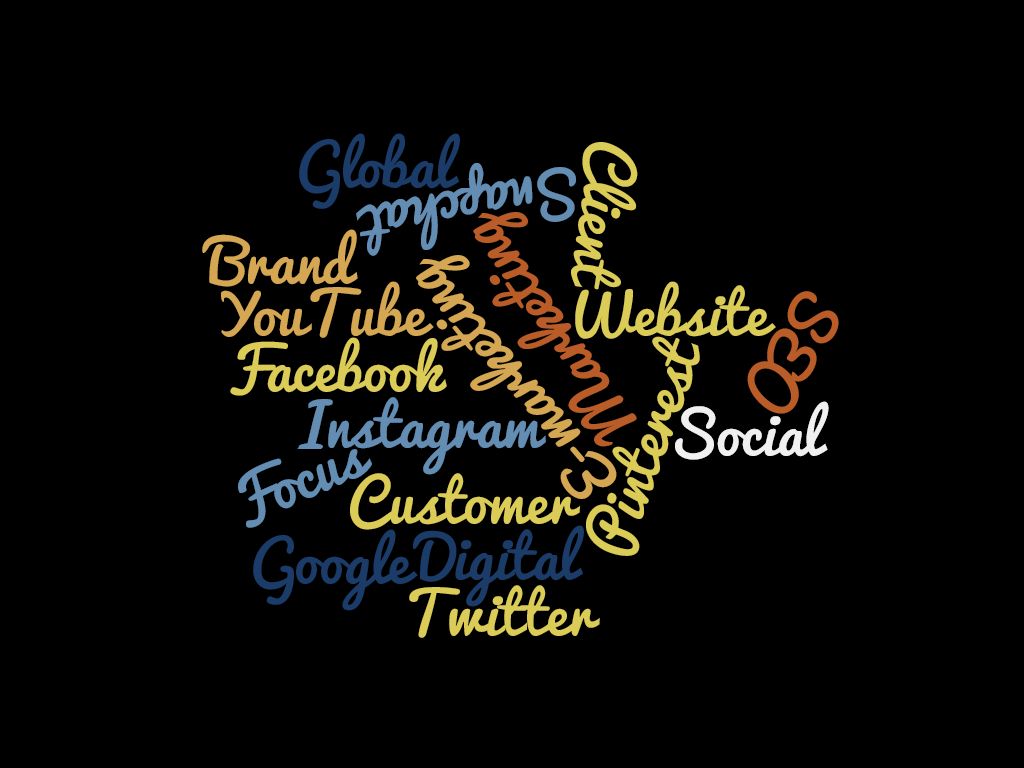
Aire Media Word Cloud

Today we would like to impress upon you all the benefits of digital marketing.   A small part of digital marketing is social media which gives you the chance to reach a large market.  And best of all, if your budget is small you can – with careful usage – do this for free!

Social media is a free, instantly accessible global market.  And the best thing is that it is measurable with analytics tools, so you can see whether what you’re doing is working and what you need to change or do better.

Even if you don’t have a large marketing budget do make sure you tap into the digital marketing sector and get yourselves online, out there and be a global brand.

See you next week!

Tips on Tuesday

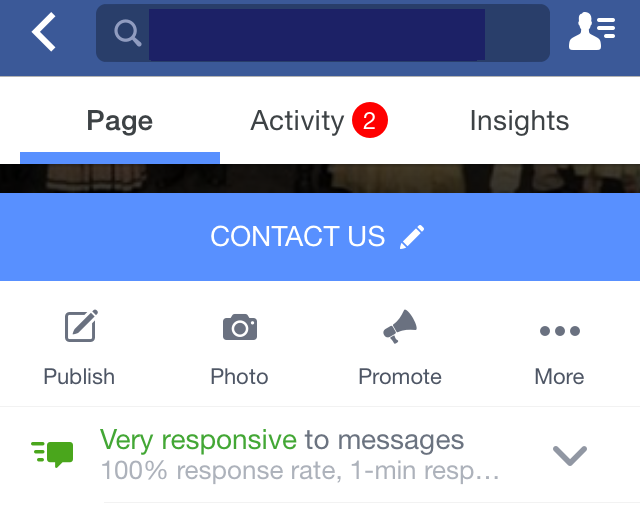
We have touched previously on how important it is to respond to customer comments, but for today’s Tip we’re concentrating on Facebook and the Messenger service.

Pic of Facebook Profile Aire Media

You may have noticed this on the profile of your business page.  The percentage response rate is in your hands!  In order to get the “badge” you need to read and respond to private messages almost immediately.  Whilst this isn’t always possible, it shows a good level of customer service to have the 100% response rate.

If you find it difficult to find time to check, why not set up notifications so you get told immediately when you have a private message.

Happy messaging!


Tips on Tuesday

This week is National Stalking Awareness Week and we want to support the amazing work Paladin do by giving you our tips to stay safe online.  With the advent of social media, cyber stalking became a real and dangerous thread and it shouldn’t be underestimated how much damage online stalking can do.  We have already written about children staying safe on social media in our blog here and indeed much of the advice is pertinent to adults too.

Cyber stalking image Aire Media

Here are our top tips to keep you safe online: –

  1. Change your passwords regularly
  2. Never share your passwords with anybody
  3. Never give out personal information online
  4. Keep your security and privacy settings on the highest possible setting
  5. Never share your location – if you’re concerned about this make sure you set location services to off on your device.
  6. Block unsolicited messages
  7. Do not be afraid to report messages that are threatening in any way.  You will be taken seriously

We hope you find today’s tip useful – please share amongst your friends and colleagues if you think it will be useful.  If you are on Twitter join in this week using the hashtag #NSAW16.

Tips on Tuesday

As fast as we plan tips to bring you, its time to write again!

Facebook Aire Media Blog TwitterTipsAireMedia PinterestLogo InstagramLogo YoutubeLogoLinkedInLogoGooglePlusLogo

Today’s tip focuses on making your social media accounts easily accessible.  Ensure your social media icons are clearly visible on your website.  Also, for those of you who use a free website building tool, make sure you change the social media accounts from those of the site host to your own.  There is nothing worse for a customer than thinking “we’d really like to see what these people are saying” to find that when they try to follow you on Twitter or Facebook they find someone completely different.   And, we have said this before, but ALWAYS make sure your social media accounts open in a new tab or window.

Half the battle is ensuring your methods for communication are visible.  Remember no-one will know what you’re saying if they can’t find you!

See you next time!


Tips on Tuesday

For today’s tip we are partially revisiting something we discussed way back in March 2015.

We visited pinning posts on Facebook in this Tip on Tuesday, but did you know you can also pin tweets on Twitter?

Picture of pin Aire Media

Unlike Facebook, there is no time limit to pinned tweets, they simply stay at the top of your profile until you change it.

It is a great way to get a message to your followers and people looking at your profile without constantly spamming them.   Use the function wisely for your best offers, the most important things you want to say and you will see the retweets follow.

See you next week folks.

Tips on Tuesday

Hello all.  We are all rejuvenated following a short break so we’re back with today’s tip and this is one that can apply to all social media channels.

I’m often asked by clients about the use of scheduling tools such as Hootsuite for social media posts and whether they’re a good idea. 

Pic of Schedule Aire Media

I think that they can be a very useful tool IF you don’t rely solely on them.  They’re very useful for standard messages but the beauty of social media is its spontaneity and I think you can lose the power to tap into breaking stories if you don’t check your social media feeds personally.

There has also been some controversy surrounding the use of scheduled posts during tragic world events.  My take would be don’t let this put you off, but possibly discretion is the better part of valour and it may be wise to turn off scheduled posts if something major happens.  At the end of the day whether you agree or not, you don’t want to be the subject of a social media rant about insensitivity, your social media profile has to be impeccable.

So my conclusion is, yes use them.  But don’t rely on them and don’t lose that personal touch!

See you next time!


Tips on Tuesday

Today’s tip can apply to all your social media channels.

About Us Aire Media

Remember to use the “About” section on your social media profiles to your advantage.  You should take the opportunity to give an overview of your business and what you offer.  Keep it short but engaging, the aim is to spark people’s interest in you as a brand.  Make sure your website URL appears on your profile so people can find out more and, ultimately, contact you.

If people have landed on your social media profile you want to make it as easy as possible for them to find out further information.  The better social media profiles are clear, concise and clean. 

By next week make sure your profile is up to date.  We will check! (Just kidding, there’s no test, but this is a great chance to do your housekeeping!)

Tips on Tuesday

Today I am going to visit the current rumours on Facebook surrounding a wide scale hacking of accounts.

Facebook Aire Media Blog

You might have seen on your timeline a number of posts like this: –

Urgent
All the accounts are being hacked. The profile picture and your name are used to create a new Facebook account. Then they want your friends to add them, your friends think it’s you and accept. From this moment, the pirates can write what they want under your name!! ….. Please do not accept a 2nd invitation from me!! Copy this message on your wall to warn your friends!
Do not share. Make a copy and paste this message.
Just in case, protect your accounts!.

For once, unlike many of these viral warnings, it seems there is some element of genuine risk.  However, to put it into context.  Firstly accounts aren’t being hacked, no-one is entering your account on Facebook, they are copying your profile picture and creating a new account – so in effect cloning you.   Secondly, the level of occurence is in dispute, there is certainly no suggestion currently that it is all the accounts on Facebook.

So, what can you do to avoid this happening? 

  1.  Keep your account privacy settings high – my personal account is locked down so that if you searched my name, I wouldn’t appear at all.
  2.  Keep your friends list hidden – this means that if people do find your profile, they cannot see who you’re friends with apart from mutual friends.
  3. There is no harm in putting a basic warning on your Timeline, along the lines of “I only have one Facebook account, please do not accept another friend request from me”.  I would recommend rather than sharing/copying and pasting a viral post, simply post a warning.  Viral content is too easily ignored.
  4. Although this isn’t a hacking attempt, it is important to change your Facebook password regularly.

 

Tips on Tuesday

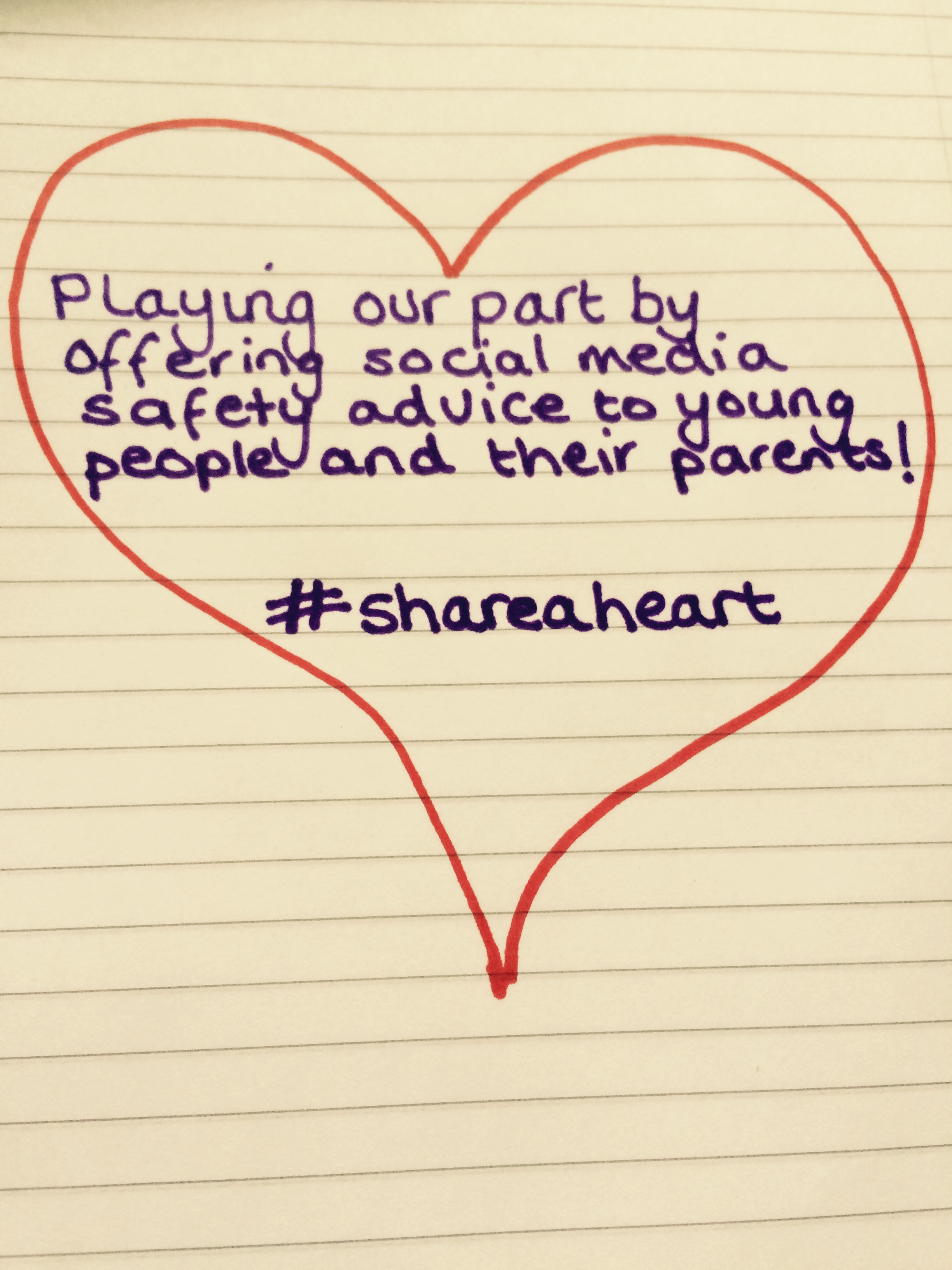
A slightly different format to our usual Tips on Tuesday slot as today is Safer Internet Day.  The safety of young people on the internet is one of our passions at Aire Media – in fact, we launched with a post about helping parents make sure their children are using Social media safely – so we thought we would #shareaheart with the wonderful people at the UK Safer Internet Centre and share our top tips for young people to stay safe online.

Safer Internet Day Aire Media

  1.  Never reveal your passwords to other people.  Choose a password that is really strong by using a mix of letters and numbers.  Make sure you change them regularly.
  2. Make sure you think before you post.   Never post anything you wouldn’t want your parents or teachers to read.  As soon as you press send, the information/image is no longer private.
  3. Be kind.  If you think your post could upset someone, don’t post it.
  4. Be really careful about what you share online.  Don’t give clues about where you live in either the information or the images you post. 
  5. Make sure you check your privacy settings regularly.  Bear in mind that you might think you’re only sharing something amongst close friends, but that isn’t always the case.
  6. Be careful who you talk to online.  If someone you don’t know tries to add you as a friend, ignore them and block them.   Don’t give people online your address and phone number.

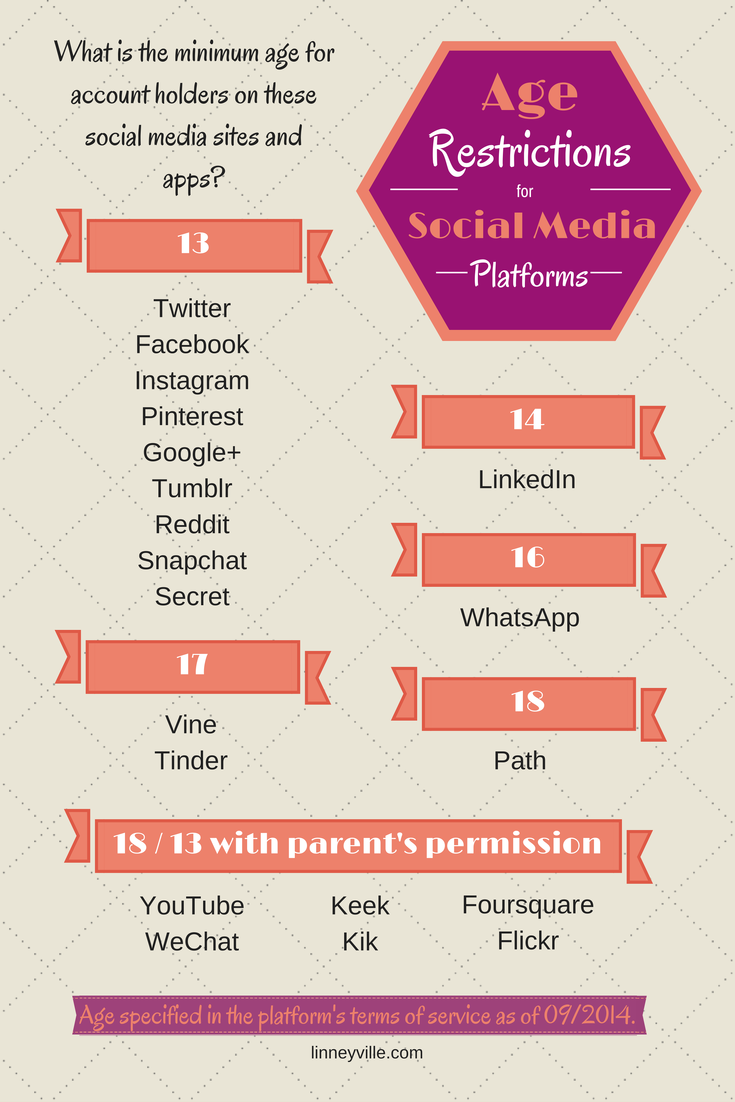
Social media platforms have an age limit for a reason.  It is to keep young people safe.  The people at Linneyville made this brilliant infographic giving details of the age limits across all social media channels.

Social Media Age Limits Aire Media

We hope you enjoyed today’s slightly different Tips on Tuesday.  If you would like to book Rachel to come talk to children or parents about staying safe online, please contact us here!